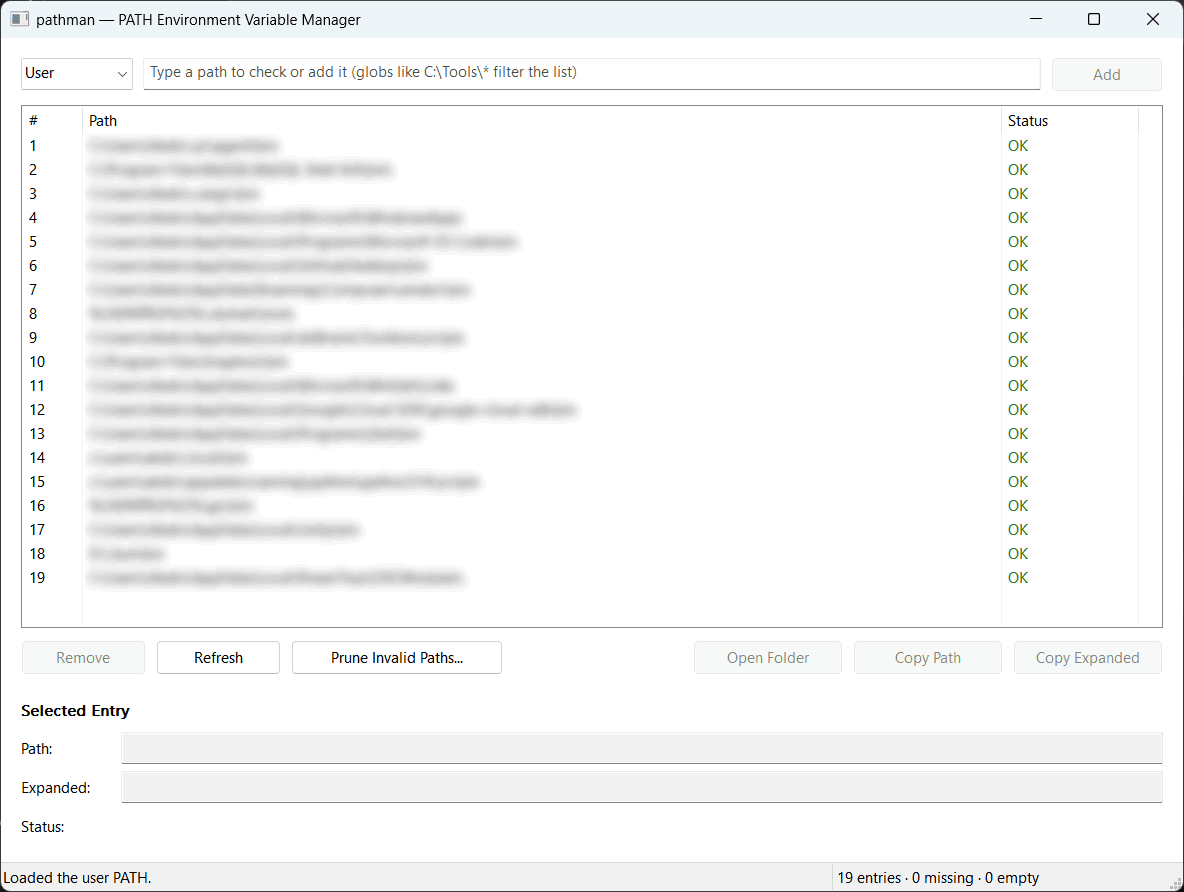
Features
- Works with both your user PATH and the system PATH shared by all users.
- Marks entries whose directory is missing or empty.
-
Checks whether a directory is in PATH, with or without variables like
%USERPROFILE%, and with glob patterns likeC:\Tools\*. -
Adds and removes entries while keeping variables like
%SystemRoot%intact, instead of replacing them with the directories they stand for. - Prunes entries whose directories are missing or empty.
-
Removes duplicate entries, keeping the spelling that uses variables, and treats
C:\ToolsandC:\Tools\as the same directory. - Tells other programs about every change, so new windows see it without signing out.
- Changes the system PATH only with administrator rights. The command-line tool says so up front, and the app offers to restart as administrator.
Download
The current version is 1.0.0. If you are unsure which build to choose, download the native x64 build.
| Build | Command-line tool | App | Needs .NET |
|---|---|---|---|
| Native, x64 | pathman-cli-win-x64-native.zip (1.6 MB) | pathman-gui-win-x64-native.zip (1.0 MB) | No |
| Native, x86 | pathman-cli-win-x86-native.zip (1.5 MB) | pathman-gui-win-x86-native.zip (957 KB) | No |
| Self-contained, x64 | pathman-cli-win-x64-standalone.zip (5.8 MB) | pathman-gui-win-x64-standalone.zip (5.6 MB) | No |
| Self-contained, x86 | pathman-cli-win-x86-standalone.zip (5.1 MB) | pathman-gui-win-x86-standalone.zip (4.9 MB) | No |
| Framework-dependent, x64 | pathman-cli-win-x64-slim.zip (198 KB) | pathman-gui-win-x64-slim.zip (139 KB) | Yes, the .NET 10 Runtime for x64 |
| Framework-dependent, x86 | pathman-cli-win-x86-slim.zip (185 KB) | pathman-gui-win-x86-slim.zip (127 KB) | Yes, the .NET 10 Runtime for x86 |
- Native
- Compiled ahead of time to machine code. The smallest download and the fastest start.
- Self-contained
- Carries the parts of .NET it needs, so nothing else has to be installed.
- Framework-dependent
- The smallest files, for computers that already have the .NET 10 Runtime.
Put both programs in the same folder to open the app from the command line with
pathman gui.
Command-line usage
Every command works on your user PATH unless you add --system. Changing the
system PATH needs an elevated terminal.
pathman list-
Lists the entries. Add
--interactiveto page through them, or--staleto show only missing and empty directories. -
pathman has path -
Checks whether a directory is in PATH. Add
--globto search with a pattern, or--quietto only set the exit code. -
pathman add path - Adds a directory, unless it is already there.
-
pathman remove path… -
Removes one or more directories. Add
--interactiveinstead of paths to pick them from a list. pathman prune-
Removes missing and empty directories. Use
--target Missingor--target Emptyto remove only one kind. pathman dedupe-
Removes duplicate directories, keeping the spelling that uses variables. Add
--dryto only list them. pathman gui- Opens the app.
Run pathman --help for every option.
Requirements
- Windows 10 version 1607 or later, 64-bit or 32-bit.
- The .NET 10 Runtime, for framework-dependent builds only.
- Administrator rights, only to change the system PATH.